

Manage contributions from abstract to program.
With Converia, you can collect scientific contributions via configurable forms, review them, and schedule accepted submissions into tracks, rooms, and time slots. Changes to a contribution appear in the program automatically, without the need for manual data re-entry.
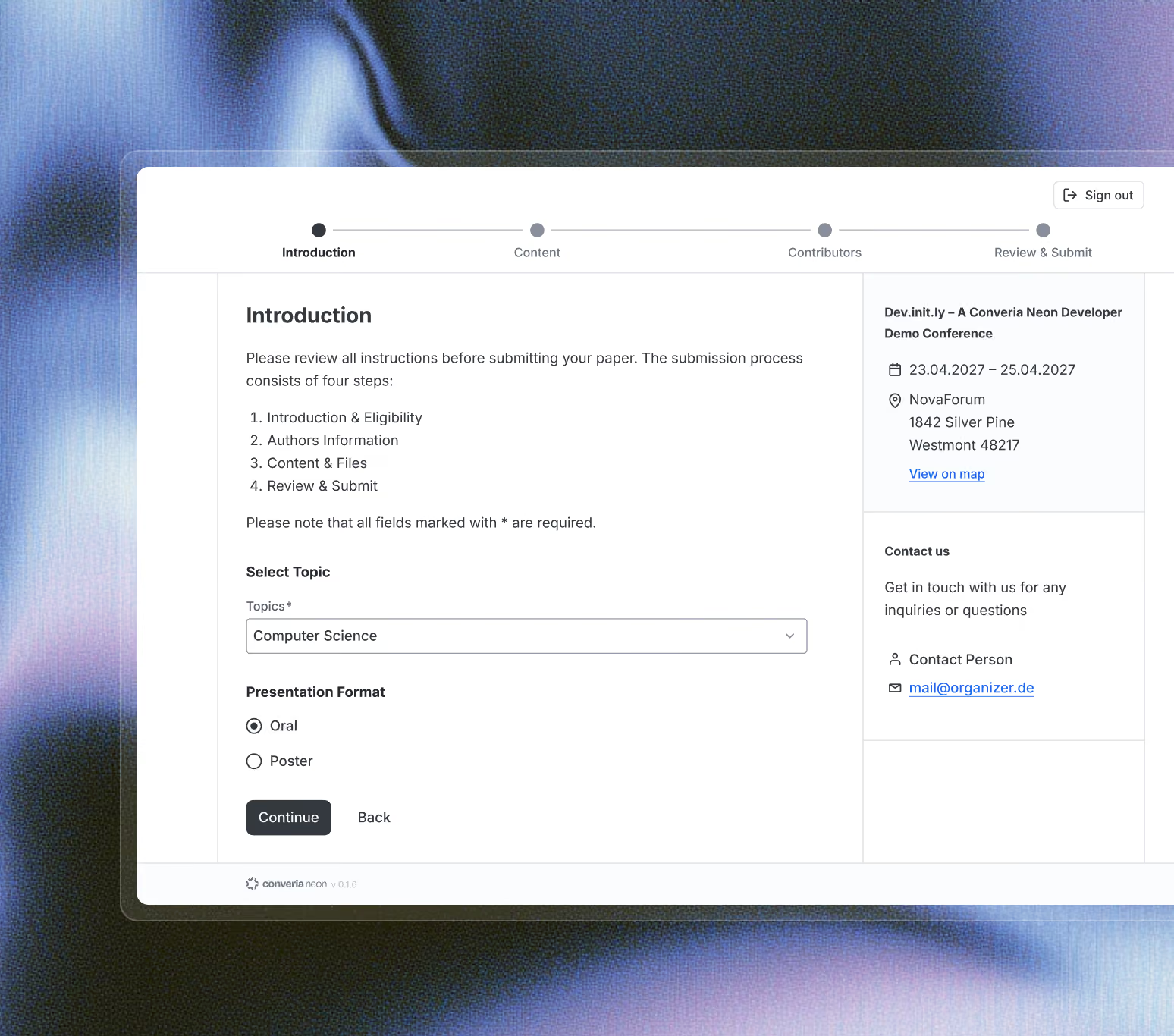
From submission to published program
01. Submit
02. Review
03. Planning
04. Publish
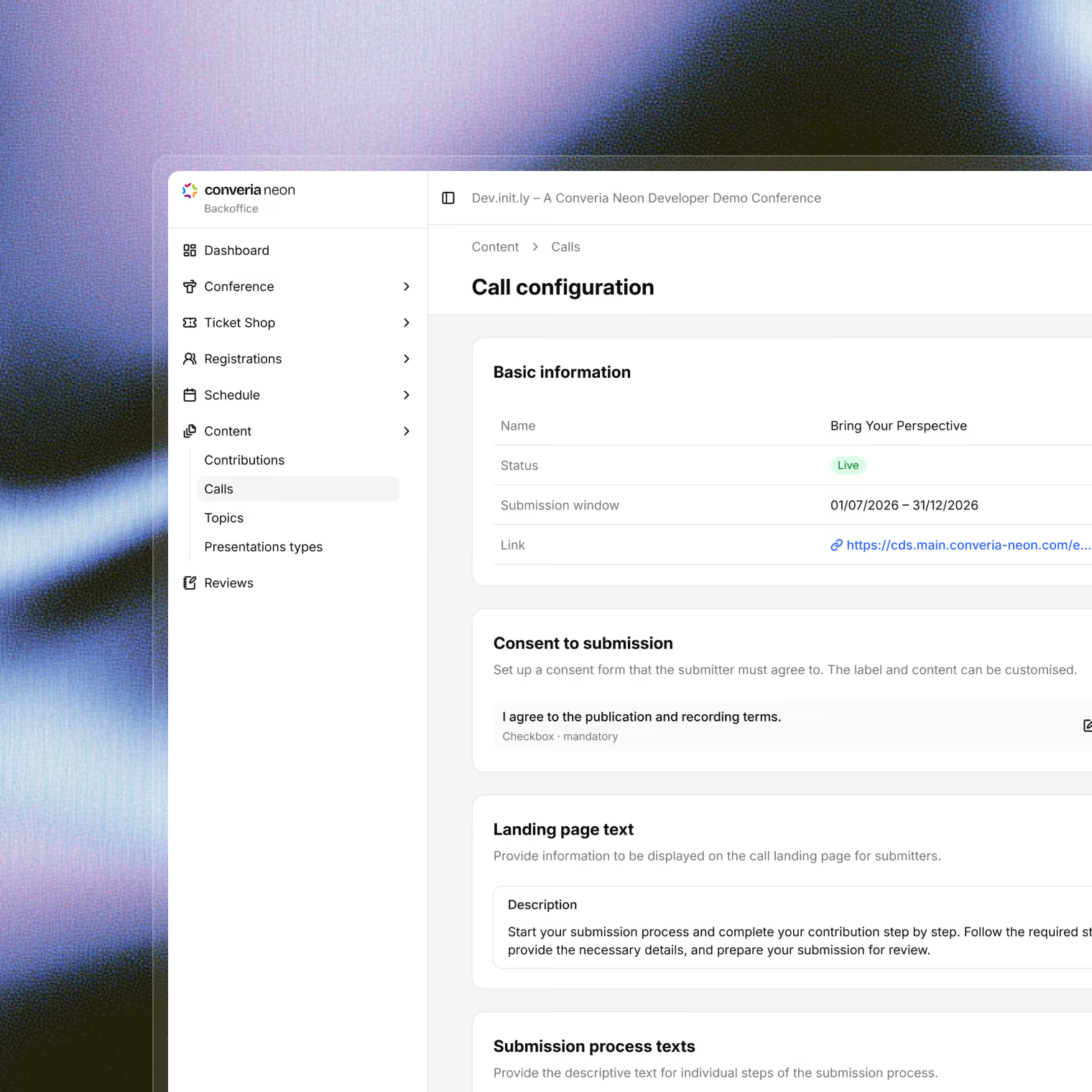
Configure the submission process to your specifications.
Define file formats and sizes, short or long versions, subject areas, presentation types, and the submission period. Authors then submit their work via the configured form.
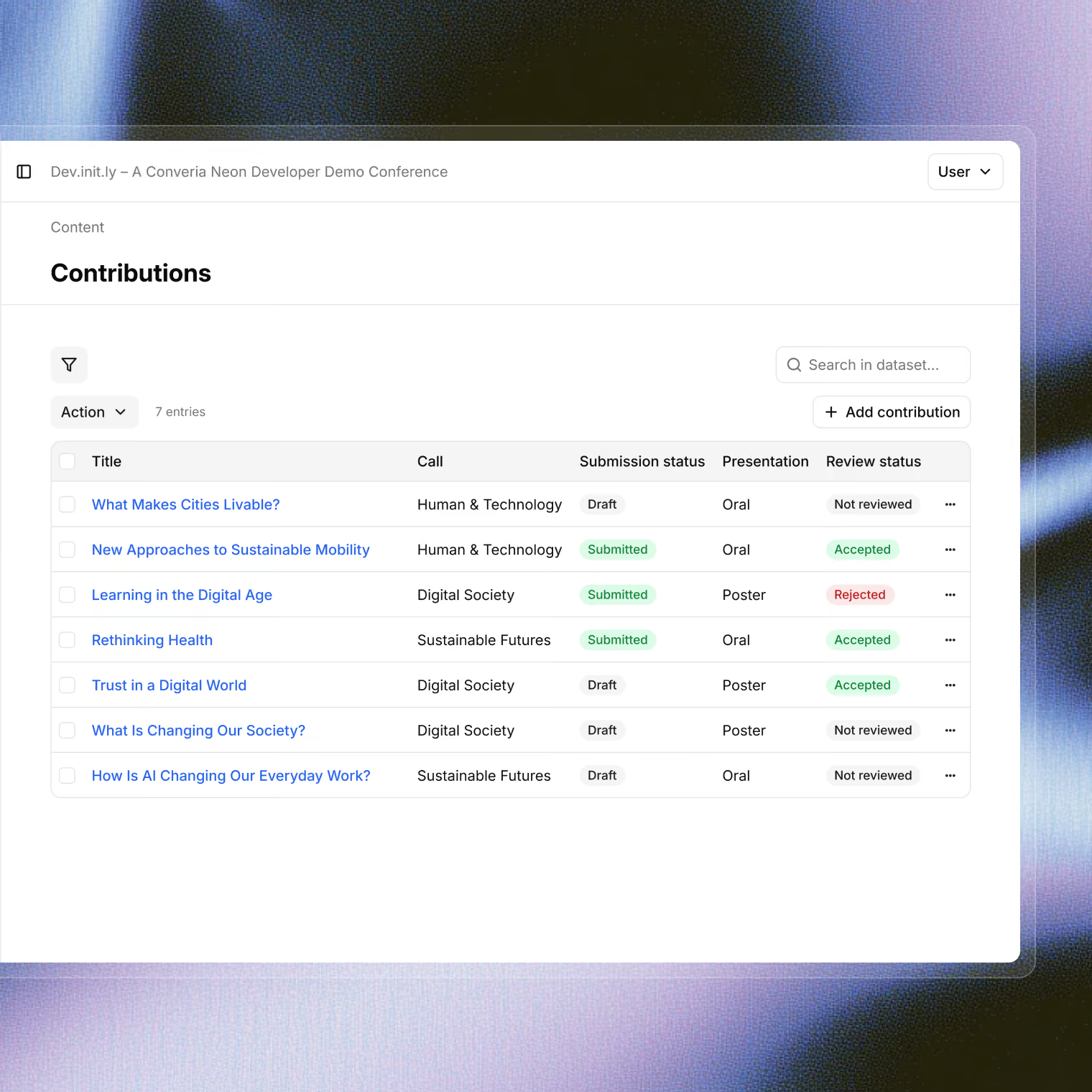
Manage the review process according to your criteria.
Define evaluation criteria and conduct single-blind or double-blind reviews. Import reviewers and assign submissions manually or automatically. You determine the number, workload, and responsibilities of section chairs yourself.
See the review workflow in an online demo – using a sample conference with submissions, reviews, and a program.

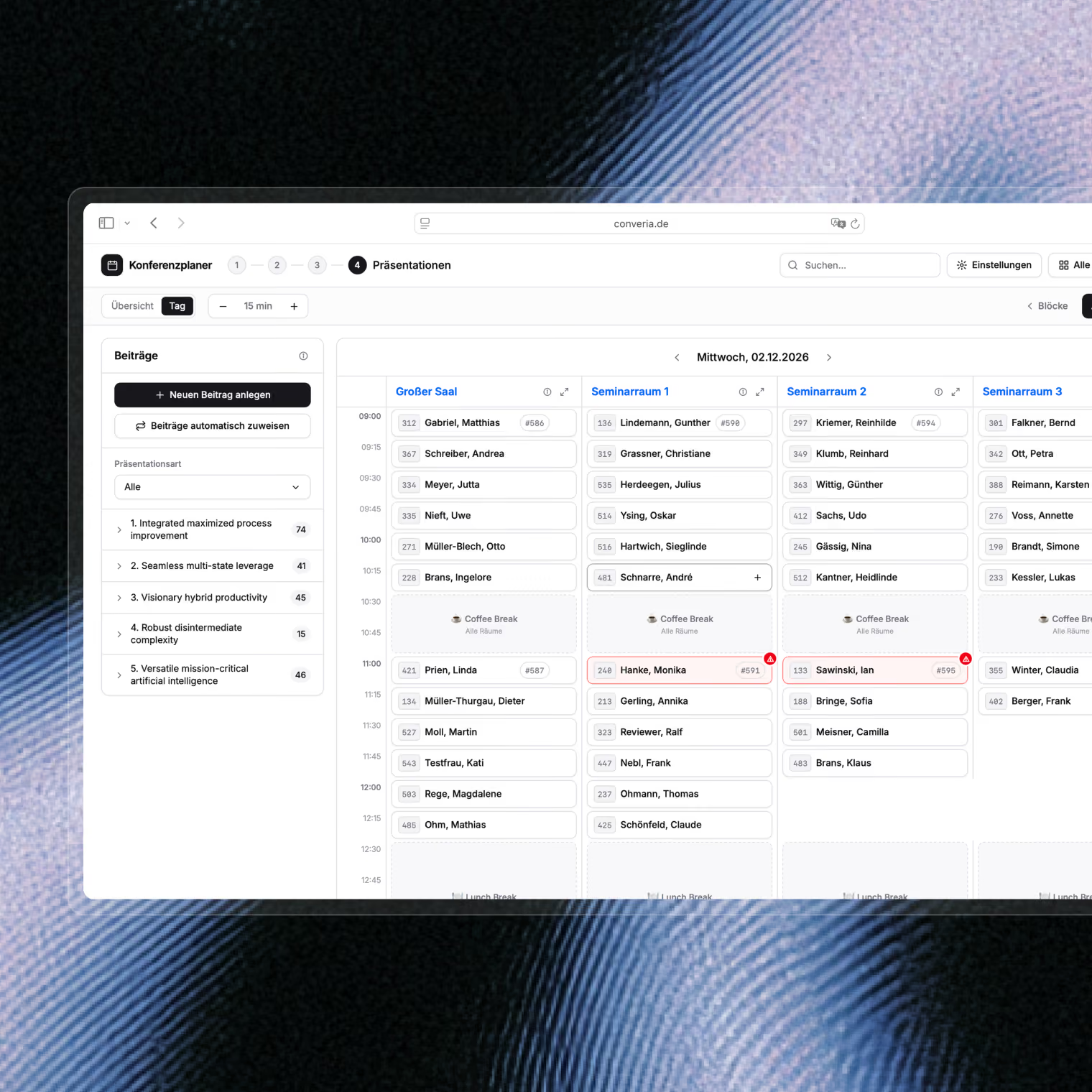
Schedule accepted submissions directly into the program.
Fill the graphical conference planner using drag-and-drop or have sessions automatically assigned to suitable slots. Different colors make sessions, tracks, and times easy to identify in the schedule.
A client used this to transform their program planning from Reduced about 14 days of manual work to a single click.
Publish your program and conference proceedings from the same data.
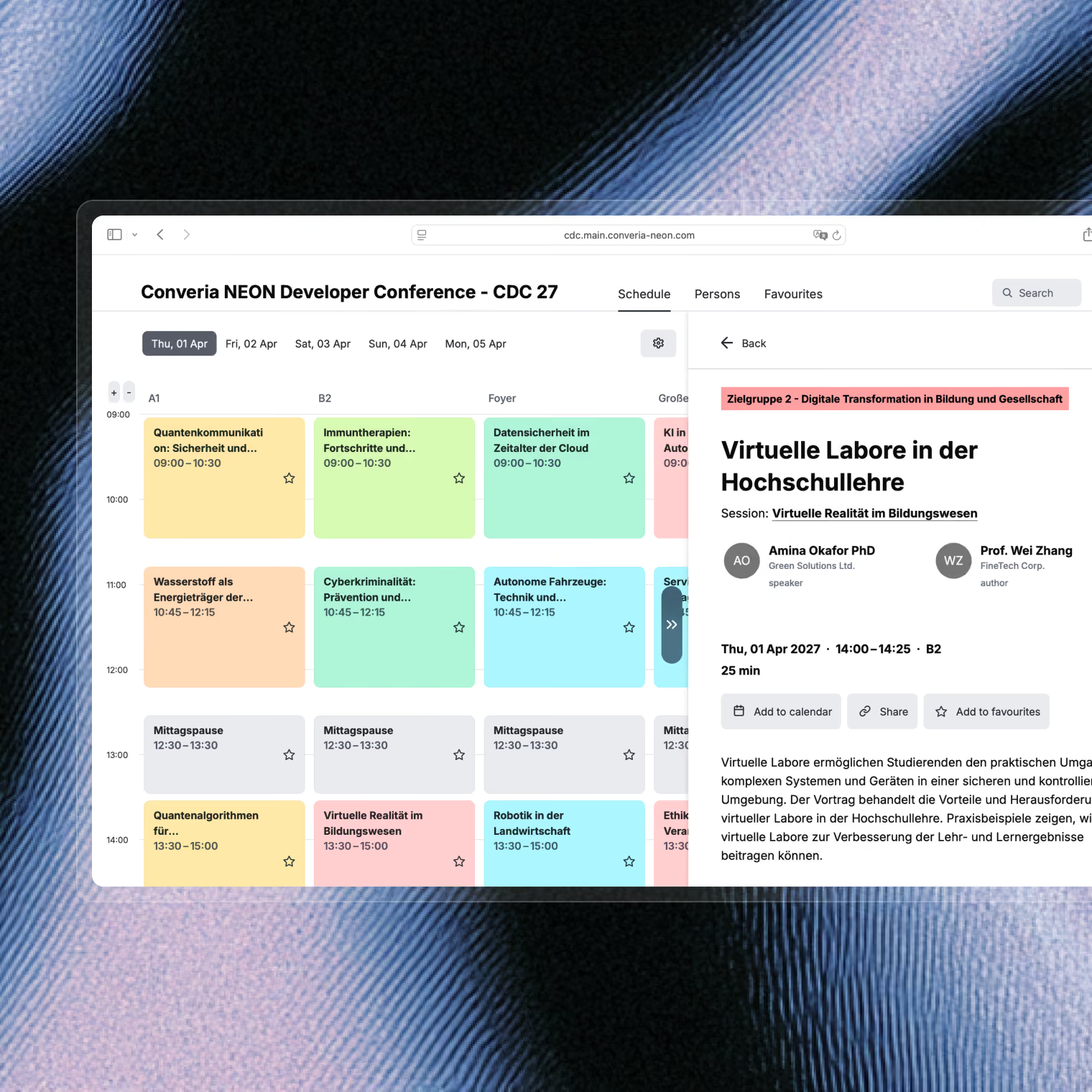
The online program schedule is based on the submission and program data from Converia. This eliminates the need to transfer accepted submissions, speakers, and times into a separate publishing system.
Frequently Asked Questions
Which formats can authors submit?
Abstracts, full papers, and presentations – including LaTeX or MS Word files. You define the permitted file formats and sizes yourself.
How many reviewers evaluate a submission?
You decide: how many reviewers evaluate a submission and the maximum number of submissions each person can take on. Assignments can be handled manually or automated based on defined criteria.
Is the review also double-blind?
Upon request, the process can be conducted as a blind or double-blind review. Section chairs manage the evaluation of individual subject areas.
What happens if there are last-minute program changes?
You can update the schedule even while the conference is underway, and everyone will see the latest version immediately. Converia automatically prevents a speaker from being scheduled for two sessions at the same time.