When journalist Christiane Link summarized her impressions of re:publica in her blog in 2009, it did not cast a good light on the net conference. At least in terms of accessibility, there were some serious shortcomings at the time. In 2013, Christiane Link was back in Berlin, only this time her conclusion, and that of other participants with disabilities, was different. A lot has changed in the years between. The concept has been refined and the topic of inclusion has become an integral part of the program, which shows that audience feedback was taken seriously.
Finding access in advance
But what exactly constitutes an accessible conference? Stairs, for one, do not. This applies not only to the location you have chosen for your event, but also to the hotels where you reserve room blocks. There should be at least one accessible accommodation among them. Find out in advance how and which measures are implemented. This can vary greatly from hotel to hotel. Then there is the distance. An accessible hotel from which the venue is difficult to reach is not really helpful - unless there are wheelchair-accessible taxis or you provide a shuttle service.
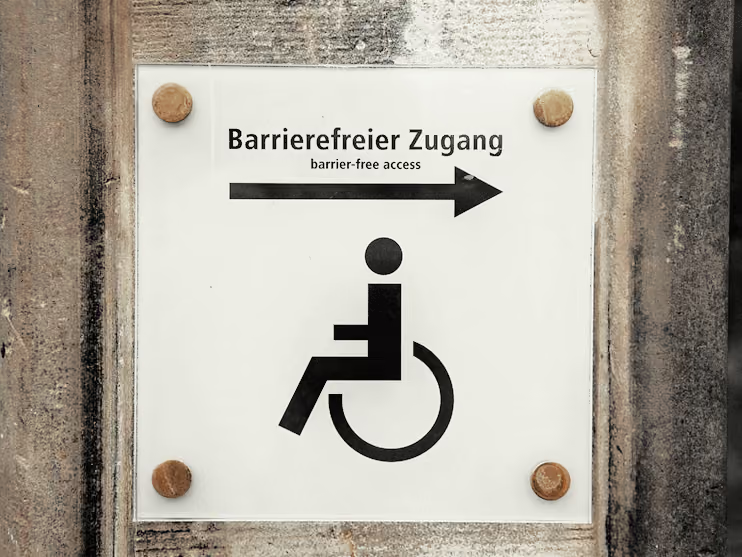
Upon arrival, there is either an accessible main entrance for everyone - which is the better solution - or two separate entrances. The path to the entrance with a ramp must be signposted, otherwise it could quickly give the impression that you forgot to open a door for wheelchair users. Speaking of opening: Do not lock a disability-friendly entrance as soon as everyone is in the building. Not only is this an escape route - it is quite impractical to find a locked door and have to look for someone with a key. Non-disabled participants do not have to do that.
Keep these points in mind if you have planned spontaneous on-site registrations. If the participant list is already complete before day one, however, it should be possible to indicate whether help is needed during the online registration process. This answers the question of whether and which measures are necessary to improve accessibility. Clearly legible signs make finding one's way around immensely easier, for example. Offer to guide blind people through the building a day before the start so that they can orient themselves better during the event.
Prepare your staff for interacting with people with disabilities during their training. This includes, in particular, questions about what to look out for or when to offer help. During the event, guests should be able to approach helpers at any time, for example to accompany visitors in wheelchairs to the nearest elevator.
Communication helps
Accessibility starts much earlier than the event itself, as the necessary requirements at the conference venue must first be created. Announcing all measures should therefore be high on your to-do list. If the conference website provides no information on the topic of accessibility and is not even designed to be accessible itself, it signals to physically impaired visitors that they are not welcome. In such a case, interested parties will assume the event is not disability-friendly and will not register at all. No one could have known about the perfect preparations you made. That would be a shame, because accessibility is definitely a huge asset for a conference.
Compile information for disabled participants: What (technical) aids are available? Can companions attend for free or are there discounts for them? Where are the disabled parking spaces? How is the venue connected to public transport? Is the conference building equipped with induction loops or FM systems that transmit speech to hearing aids without background noise? This allows everyone to decide in advance whether registration is an option under these conditions. To stick with the re:publica example: The official website has a subpage that answers some questions about accessibility. Unfortunately, this is still the exception. Too often, such information is only available at conferences that deal with the topic of disability in terms of content. Providing multiple contact options for questions is certainly not a bad idea here. It is best to publish information in electronic format. If printed handouts are added on-site, there should also be a version in Braille.
With a few small precautions, your social media posts will also be accessible. Facebook handles this task itself and reads an automatically generated description for every image to visually impaired users. On Twitter, you can attach an image description to each of your photos yourself. To do this, open the settings once and select the option for image description under the "Accessibility" sub-item.

Removing barriers on-site
State which languages the conference content will be translated into, i.e., whether it is available in sign language or if captioners will provide live subtitles. Translations only for the keynote and the closing event are not enough. Of course, there are not always enough resources available, so it is simply not possible to have an interpreter in every room. However, keep in mind that non-disabled people can put together their own program freely, while disabled people have to make do with the events that are translated. Therefore, either schedule interpreters for program items where a large number of visitors is expected, or be more flexible and ask which events deaf people would like to attend in order to be able to deploy interpreters there. Because hearing-impaired people benefit from visual information, graphic recording is also a good option.
Be careful with translations by sign language interpreters, because sign language is not universal, especially not in combination with participants from different countries. Instead of a uniform sign language, there are many different ones in the world, all of which follow their own rules and even have dialects. Large international events like the Deaflympics use "International Sign," a language that, like Esperanto, strives for standardization but is far from being understood by everyone. Subtitles are therefore the better choice for conferences with international participation. Deaf people from English-speaking countries, for example, would otherwise have difficulty understanding each other because there are major differences between British and American Sign Language.
By the way, captioners do not need an extra booth at the conference because they do not speak themselves. What is required, however, are </w1><w2>displays: one for the interpreter and others for the people for whom the translation is being provided. If everyone is sitting next to each other, a single screen is sometimes enough. Ask in advance which devices the interpreters bring themselves and which you need to provide.
Ideally, interpreters have access to the presentations before the lecture, provided the speakers make them available. If that is not possible, ask the speakers to briefly describe graphics and videos for everyone who cannot see them.
If speakers also have the opportunity to upload their presentations, the organizer can collect them and make them available to everyone centrally and in digital form later. This way, no printed handouts need to be created. In all of this, also ensure that physically impaired speakers can also give their presentation. For example, how do people with mobility impairments get onto the podium? Is there a ramp? During presentations, someone might need to help with clicking to the next slide. Wheelchair users should have seats in the front rows at lectures, from where they can easily follow the proceedings. When people have their own assistants, always remember to provide an additional seat.
The same applies to the social program: everyone should be able to participate in as many program items as possible. Ensure that all participants can reach events that take place off-site. Sign language interpreters outside of regular session hours are another plus point.
By the way, high tables are not a good idea when eating or chatting during breaks. Short people and wheelchair users will likely not enjoy them. When catering, ensure that visitors can reach everything effortlessly. This can quickly become a major hurdle, especially at buffets, if wheelchair users have difficulty or are unable to move through the aisles. Blind participants also need help in this regard.
And: Does the toilet problem sound familiar? At events with many participants, non-disabled people often use the accessible toilets. If these are faster to reach than those for non-disabled people, there could be problems if many people switch to them. Perhaps it would be better to introduce a system similar to the Euro-key here. Participants with physical impairments receive a toilet key at check-in, which is only returned at the end of the event.
Eine große Rolle spielen auch Sicherheitsaspekte. Gibt es Signalanlagen, die Hörgeschädigte auf einen Alarm aufmerksam machen? Haben auch Besucher im Rollstuhl die Möglichkeit, im Notfall das Gebäude schnell zu verlassen? Sind Orientierungshilfen für Blinde vorhanden?
We should also mention the Ramp-Up.me project, which has compiled additional tips and contacts to help make venues, conference programs, and communication accessible. We also recommend the accessibility checklist compiled by the DGUV.
Is accessibility expensive?
Of course, additional resources come with extra costs. However, with forward-thinking planning, these remain manageable. If you want to open your event to even more attendees, it is best to choose a location that already meets most requirements. Many conference centers are already fully accessible and work successfully with service providers for specific needs like interpreting services. This saves you time, research effort, and money. Financial support can also come from external sources. For example, Aktion Mensch provides up to 5,000 euros to help implement accessibility measures for events.
Learning from mistakes and improving
Creating accessibility for events is not about finding short-term, ad-hoc solutions. Instead, it should be viewed as an ongoing process. As seen with the re:publica example, not everything works perfectly right away; it develops over several years. There will always be things that could be improved. You might test some approaches and discard them later. Most importantly, however, you must incorporate attendee feedback into all your considerations, as that is the only way to achieve real improvements.
Ultimately, it is about making the conference accessible to everyone and creating pathways so that even more interested people have the opportunity to enrich events with their ideas. Organizers who have internalized this are well on their way to becoming role models for others—and who wouldn't want that?