Our shared goal: Accessible conferences
The Accessibility Strengthening Act (BFSG) has a clear objective: Digital offerings should be accessible to everyone. No one should be excluded when purchasing tickets online.
This means: If you are organizing a conference, you must ensure that your ticket shop is designed so that everyone can use it. This applies especially to people with visual, hearing, or motor impairments.
Accessibility is not a new topic for us. We have been working behind the scenes for some time to implement the BFSG requirements in Converia. With the release of version 9.1 of our software, we have reached a milestone: we have implemented the requirements of the international WCAG 2.1 AA standard for ticket sales in Converia.
We have taken these requirements into account for both our classic product and our new software, Converia Neon.
For you, this means that with Converia, you are fundamentally on the safe side.
However, true accessibility also includes a few things that you manage yourself for your events. You will need to do your part to ensure everything is legally compliant. 😊
Where we have already implemented accessibility requirements
To help you start selling your tickets as accessibly as possible, we have already adapted many areas of Converia accordingly.
Specifically, we have addressed the following key points for participant registration and the conference website:
- Improved keyboard navigation: All functions in the ticket shop can be operated without a mouse.
- Screen reader compatibility: Users with screen readers can easily navigate the ticket shop and purchase tickets. The screen reader recognizes individual elements such as dates and reads them out correctly.
- Optimized contrast and color design: Our standard templates meet the WCAG AA contrast requirements. We have replaced colors that did not provide sufficient contrast.
- Clearly recognizable interactive elements: Buttons, links, and form fields are designed consistently and labeled clearly.
Where you come in: Accessibility information
In addition to the technical implementation of accessibility, accessibility information is also mandatory.
It informs the users of your ticket shop about the extent to which your offering is accessible.
This information is an integral part of the legal requirements of the Accessibility Strengthening Act.
To ensure you don't have to start from scratch, we provide a template. You can download it from the Converia manual.
👉What you need to do now: Adapt the template to your event(s). Your contact details are mandatory. If your conference has any specific content-related features, please include those as well.
Important: You must provide this information in Converia for every active sub-portal (e.g., for each conference or language). To do this, create a dedicated action page that is easy for all visitors to find. Once you have created the page, a corresponding link will appear in the footer.
✅For future events, manage this information using the copy template in Converia. This way, you won't have to adjust it every single time.
How to ensure greater accessibility for your conference
We cannot provide a comprehensive checklist for accessibility here.
This is because the meetings and conferences that use our software vary greatly. Registration options and ticket categories often differ significantly. Depending on the event, Converia always looks a little different.
There is no one-size-fits-all recipe for 100% accessibility.
This means: It is up to you now.
You provide the content, graphics, and media for your event. Please keep the following in mind:
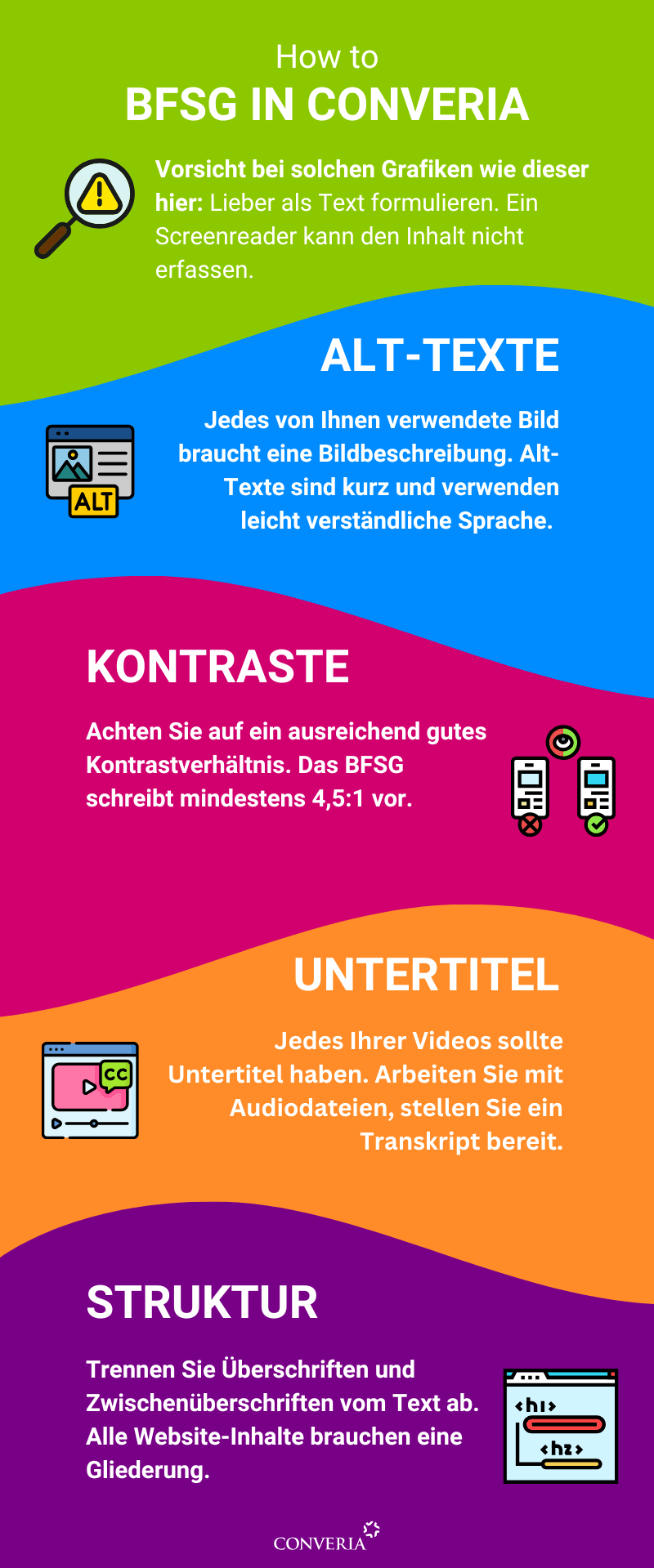
- Text instead of images: Avoid graphics containing large amounts of text. You should always provide important information in plain text format. Otherwise, people who cannot view the graphic will be left out.
- Use alternative text: Add a short alt text to every graphic that describes the image.Find out how to write good alt text here.
- Check contrasts: If you use your own colors or a custom design in Converia, ensure that the contrasts are sufficiently strong. The BFSG requires a contrast ratio of at least 4.5:1.A contrast calculator can help you check this.
- Make media accessible to everyone: Provide transcripts for audio content and add subtitles to videos.
- Structured content: Use heading hierarchies (H1, H2, H3, etc.) to organize your content logically. This not only looks much clearer but also helps people using screen readers.
- Clarity: Use sentences and descriptions that are as easy to understand as possible. If possible, briefly explain technical terms.
The Converia manual contains further information on this.
⚠️As a Converia user, these areas are entirely your responsibility. We do not check whether your conference meets the requirements of the Accessibility Strengthening Act.
💡What are the next steps?
🎫Are you just selling tickets or inviting people to your event? Then why not test our new software, Converia Neon, as a pilot customer? Neon is, of course, also accessible.
👩🦯➡️Your software is accessible, but what about your on-site conference? We have a few tips on how to remove barriers there as well.
Note:
This article provides a general overview of accessibility in online ticket sales. It does not replace legal advice and cannot cover individual requirements or special regulations. For specific questions regarding your event, please consult a legal expert.