Before we started to develop our Virtual Venue solution for virtual and hybrid conferences last year, we also had to familiarize ourselves with what digital conferences would entail. For organizers, this is probably an even more complex matter than it was for us. There are many planners who have been reluctant when it comes to using online tools and if you have never set up a live stream, you’re definitely not the only one. But the more you read and get lost in numerous hybrid and virtual settings and their various options, the bigger the question mark surrounding them becomes. Which of these options are actually relevant and feasible for your conference?
Let's first get one thing straight: Nobody needs to take care of everything on their own. At every level, there are service providers who already offer suitable products. As part of the organization team, however, you should have an overview of the common solutions in order to be able to select the best setup for your conference. This article is intended to help you get started and show you how to share content with participants, what you need to consider, and which challenges each of these settings entail.
What Do You Want to Share?
Similar to their on-site counterparts, you can get creative when designing a virtual conference experience. Organizers don't have to stick to one formula, and can vary the format for different parts of the program. Sometimes a single speaker is the center of attention, while other times discussions require connecting several people. During a workshop, participants should also see the speaker’s screen, or you may need to switch between multiple camera angles. A mix of simple and somewhat more complex setups can prevent participants from being exposed to the same camera angle all day. If it’s only the faces of the speaker that changes every now and again, the conference as a whole becomes monotonous – see "zoom fatigue".
Depending on the format, it can be sufficient if only one person can be seen and heard – this is the simplest setup and perfectly suited for a keynote delivery or opening & closing statements. For other individual talks, you might want to add presentation slides as well – which will either share the screen with the speaker or take up the entire on-screen space. Other important criteria to consider is to what extent do you want to work with effects. This starts with the question of whether text should appear on screen. Think, for instance, of names. People want to know who the person currently on screen is so that they can later ask them questions directly or refer to their statements in the chat area.
Or do you want to include infographics or short prerecorded clips at certain points? Then the material needs to be prepared accordingly, as it’s very hard to appear charming when holding up printouts during a presentation. There are many tools available that can make you look less like an amateur and more like a professional presenter. If you are working with sponsors and want to incorporate their promotional videos at a certain time, you should take that into consideration, too.
Inside or Outside a Studio?
Whenever more than one person hosts a talk, a team presents its joint research or six people hold a panel discussion, the production becomes a bit more challenging but add immense value to the program. After all, the participants have to be brought together somehow. You might do this directly in a studio which has the advantage that everyone is already in the same place. Organizers with the ambition to provide participants with high audio quality along with perfect lighting are also better off making use of a studio setup.
But because this is not always possible, people can also be connected virtually. No one has to travel long distances, no one needs to pay for travel, and a studio isn’t totally necessary either – unless there are hosts who serve as a connecting element between the different parts of the conference program. Done in a studio, this can create nice consistency between otherwise very different sceneries, as not many speakers will have a green screen at home. So that would be an appropriate solution for those who prefer a more homogeneous look for their virtual conference. You can make your event even more recognizable when you use coherently designed overlays or a customizable conference platform.
Live Broadcast or Pre-Recorded Content?
Something you should decide very early in the planning process is whether you want to live stream your conference or pre-record the sessions. There’s no real answer as to which option is better, because it primarily depends on the formats you’re planning. It’s always an option, however, to use a mixture of session formats, leveraging the best qualities of both.
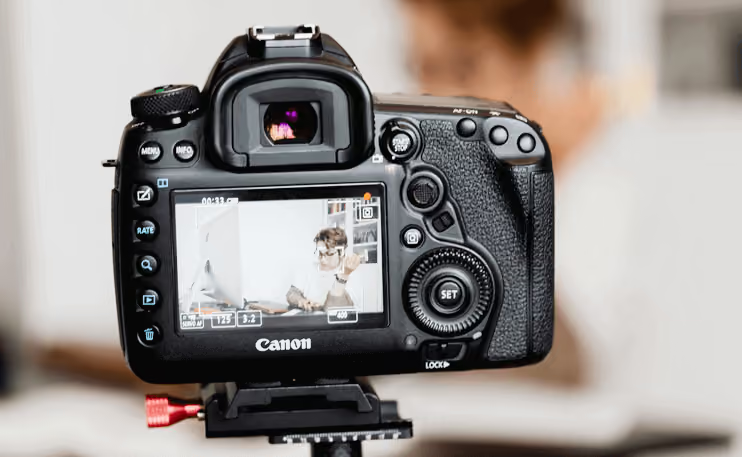
Pre-recorded videos can be edited afterwards to add effects, fade-ins, etc., whereas with streams, you’re of course required to go live and be prepared for anything that might happen. Creating a real live experience where you can take questions and get immediate reactions in real time brings the audience much closer to the speakers and content. But going live doesn’t automatically come with more technical effort. If you’re streaming one video signal from a single source such as Zoom, Webex or any other meeting platform – the most basic live streaming setup – you won’t need a director.
On the other hand, the whole production process is much more relaxed when you provide pre-recorded video content. Occasional mistakes might occur but they won’t stop you as you can simply start over again and cut everything you don’t need. Once your video is done, you just upload it to the virtual platform and the task is finished.
It is always important to make sure that any form of video content – live streams or pre-recorded files – works flawlessly on the participants’ end. A virtual conference platform should offer configuration options for participants regarding the video quality. If a participant experiences dropouts, they can switch to a lower resolution to continue with an interruption-free stream or video. Unfortunately, this doesn’t work for all browsers and on all devices. That’s why the Virtual Venue uses a video player that ensures a steady video stream by automatically reacting to the internet connection‘s current speed and adjusts the stream quality accordingly.
Because the best live streaming ideas can only be implemented if enough bandwidth is available, you should always test it before (https://speed.measurementlab.net/). The upload speed (upstream) is particularly interesting as it’s your device you’re streaming from. The higher the upstream, the faster the content will reach participants and the fewer delays will occur along the way. For live streams, at least 2 Mbit/s upload and 5 Mbit/s download speed should be available. The more bandwidth you have, the better as this makes it easier to compensate for short-term speed fluctuations.
There’s another method for speeding up your live stream: use an Ethernet cable instead of Wi-Fi. In addition, no other apps or processes that require a certain amount of your bandwidth should be running on the same network during the stream.
If you choose to live stream your presentations, you can make the videos available as a recording for on-demand viewing once the stream has ended. Our customers like to use this option because it allows participants to catch up on the presentations they missed at any time. We particularly recommend this for international conferences where time zone differences sometimes make it difficult to watch all the sessions as they happen live.
Please make sure you’ve considered all of these points before moving on to the next step which would include selecting the best tools for your streams and recordings. We’re going to cover this topic in our next post.