Is the conference over before it has even begun?
That thought inevitably crosses your mind when the first rejection arrives, especially if it comes from the very speaker whose presentation you were most looking forward to. Is this the beginning of the end? No. Of course, it’s a shame when someone is already booked, but there are certainly plenty of other people who are free on that day.
However, you shouldn't wait too long to start looking for a replacement. It becomes difficult once the first rejections have already arrived. While it’s certainly not impossible to find someone else, that will be far from the only task you have to deal with at that point. By then, conference planning is usually in full swing, and more urgent matters will leave little time for unplanned research. Why not be prepared for all contingencies instead of always having to expect an unscheduled standstill?
Always keep potential replacements in mind beforehand. This could be the paper's co-author or someone whose presentation fits the session's topic just as well. Note down the names—ideally directly in the conference software you are already using to manage and send invitations. We explain how to achieve effective invitation management with event software here using the example of Converia:
1. Compile a list
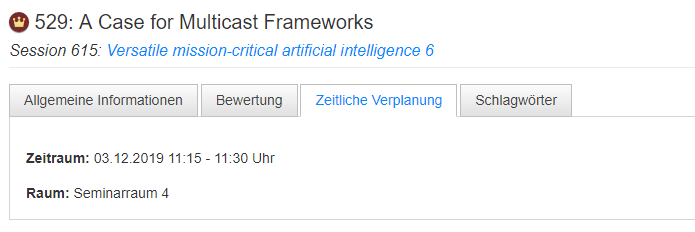
In the very first step, you put together your desired speaker line-up. To do this, either select people and contributions already in the system or create new ones. The same applies to sessions, as session chairs can be invited in the same way. However, before the first invitations are sent out, you should assign a date and time to each presentation. Individual presentations can always be rescheduled later if necessary, but having a fixed time is important for orientation. This makes it much easier for the invited speakers to assess whether they are available.
2. Add replacement speakers
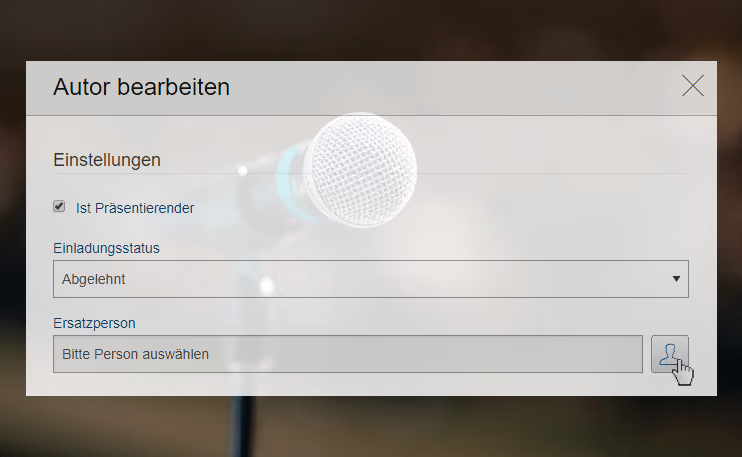
It is best to think of a replacement for each contribution and store them in the system as well, even if their data isn't used unless they are needed as a fallback when an originally scheduled speaker declines—or not at all. In Converia, you link the name directly to the presentation so you don't have to stop and think later about who was intended as a replacement for which program item. By the way, someone you have already invited for another presentation can also step in. If someone receives multiple invitations, they are displayed in the speaker portal, sorted by date, and they can decide individually for each one whether to accept or decline. This is much clearer than having to hunt down all the invitation emails later to respond. In such cases, you only need to watch out for potential scheduling conflicts. If other sessions are taking place in parallel, the person should not be scheduled for any of them.
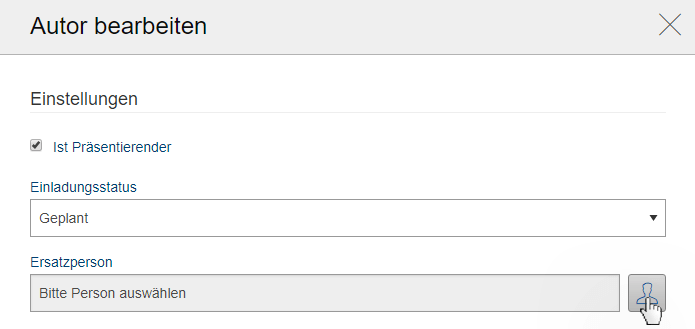
3. Write invitations
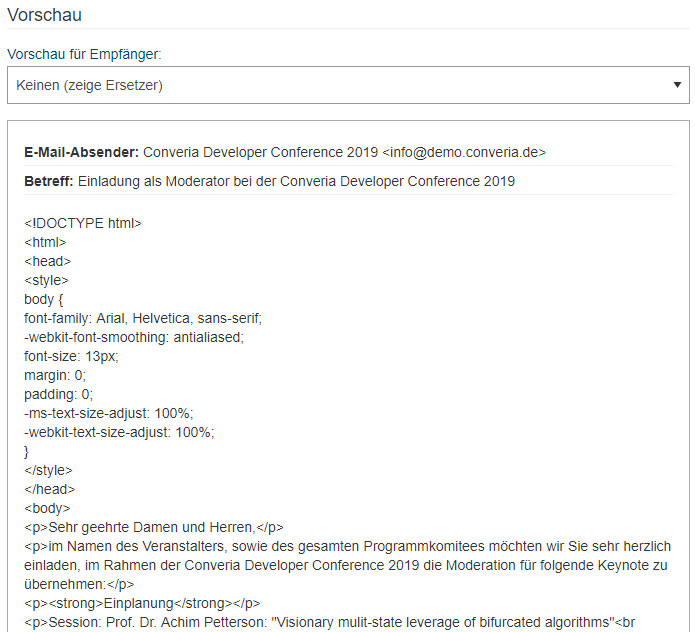
Back to the speakers you added in step 1: Draft the text for their invitation email. If you are unsure what to include in the invitation, we recommend our article on the topic. To send multiple emails at once later on, use placeholders. The software will automatically insert the corresponding names in their place. It is also useful to set a deadline. Without a date by which a response is expected, it is impossible to estimate when you will hear back from the invitees. Some reply immediately, while others might take two weeks.
4. Send reminders
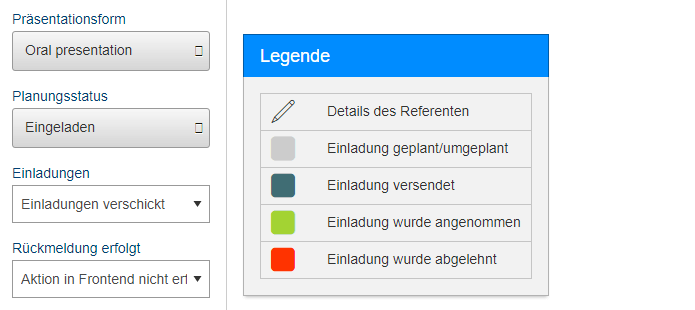
A few days before the deadline, it’s time for a status check. Occasionally, the first invitation email gets forgotten amidst a growing to-do list and important appointments. Remind them again by using the filter function to identify the invitees who haven't responded yet. These people will now receive an email reminder about the invitation.
5. Activate replacements
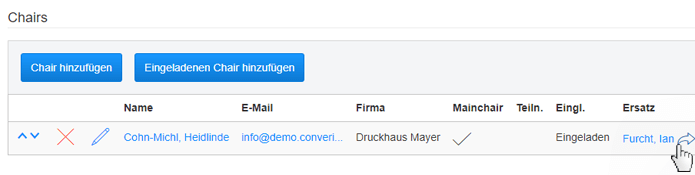
Once the deadline has finally passed, it’s time for the next status report: Check who has declined or failed to respond despite the reminder. For these entries, set the respective replacement to active. This works in Converia with just a few clicks and can be done for multiple presentations simultaneously. After the names of the speakers have been swapped for those of the replacements, send out your invitation email again. Just make sure to set a new deadline; the rest of the text remains the same.
6. Reply to all
Once you have received all responses, take the opportunity to follow up on the feedback. Thank those who accepted, as well as those who were unable to make it this time. Email templates and placeholders are perfect for this as well. You never know—someone might remember your friendly emails, which could increase the chances of a "yes" next time.
Good planning always accounts for potential cancellations. To ensure these don't disrupt your schedule too much, it is advisable to identify a backup person for each presentation whom you can contact immediately if needed. Furthermore, if you maintain an up-to-date list showing the status of every invited presentation, you will be perfectly prepared for planning your conference program.