Does every event need to be on Snapchat now? Another account that needs to be regularly updated? Is it worth it? As is often the case with social media, those looking for clear-cut answers regarding Snapchat will be disappointed to learn that there are none. Nevertheless, the decision for or against using it at your own conference should be a little easier this time around.
What do you actually do on Snapchat?
Before you plan any potential Snapchat campaigns, you should familiarize yourself with the basics of the app. The idea behind it is quickly explained: on Snapchat, users post content that disappears after a certain amount of time.
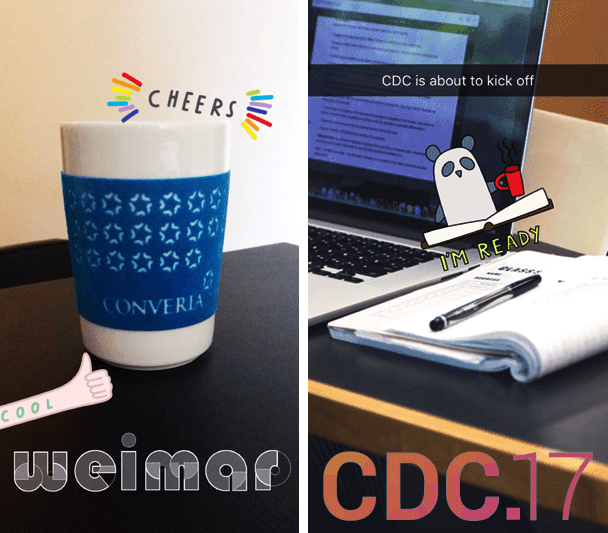
These are either Snaps, which are snapshots in the form of images or short videos sent to one or more contacts that are only available for one to ten seconds after being opened. Alternatively, users create so-called Stories, which are image or video messages that can be viewed an unlimited number of times by others, but are only available for a total of 24 hours before they also disappear. A story is made up of various clips that are played in sequence when opened. All content can be enhanced with filters, emojis, drawings, or text.
The ephemeral nature might seem a bit strange at first, but it is not an obstacle. How often do you scroll through Facebook or Twitter profiles to read someone's old posts? That is likely the exception. What is posted is often forgotten after just a few seconds and is no longer relevant by the time the next post arrives—the only difference being that it is still there and not automatically deleted. Snapchat focuses primarily on what is important right now. This is a perfect starting point for events.
When the magazine Marketing & Kommunikation surveyed 70 marketing managers about Snapchat, more than half of them considered the app to be particularly well-suited for event marketing. However, the respondents also identified issues such as the fleeting nature of the content. Furthermore, the challenge of creating suitable content and a lack of knowledge on how to use Snapchat still keep many from using the app.
Planning for the long term
Since an update in the summer of 2016, however, the app has also catered to those who find snapped content a bit too fleeting. Users can now turn selected Snaps and Stories into Memories and thus save them permanently. The feature of the same name saves your own recordings and can even use images from your smartphone's photo album as a basis for new Snaps. This is a crucial point that should make the app interesting for event organizers: content can now be pre-produced and thus better planned; not everything has to happen exclusively live.
Think about where interesting starting points for Snaps might arise. During the registration phase, list reasons why participation is worthwhile, document the preparations, introduce the organizers, surprise followers with exclusive announcements, or take a look behind the scenes. What counts above all are your ideas. Professional video equipment is not required for this. The app itself offers numerous ways to polish your recordings. For example, images and videos can be captioned, drawn on, or decorated with stickers.
Your own filter for your event
Snapchat users are particularly fond of filters and effects. Faces can be distorted or swapped, and videos can be played in slow motion, fast forward, or reverse. But the built-in filters are far from the end of the story. Snapchat now encourages users to create custom geofilters that are only available within a specific geographic area. For example, if a filter exists for a city, it is displayed to everyone currently located there. As soon as someone leaves the city, they can no longer add it to their recordings. An overview of what such filters can look like can be found here.
For conferences, there is the option to create an on-demand geofilter that is only available at the event location during the time of the event. All participants with the Snapchat app will then find this in their filter selection and can use it to let their contacts know where they are. In addition, using the filter can be a condition for participating in a contest held during the conference. This is worthwhile for any experimental organizers looking for particularly innovative ideas. In Germany, the feature is currently not yet available, but it is expected to be released in the coming months.
Unfortunately, setting up an on-demand filter is not free. The exact costs depend on the duration and the size of the area where the filter is to be active, starting at a minimum of 5 dollars. When designing, there are some rules to follow, which Snapchat checks once a new proposal has been submitted. If there are no objections, the filter is activated.
Not for everyone
Even though Snapchat no longer appeals only to young users, the app is still better suited for events with a predominantly younger audience. An audience of established scientists at a more serious event will likely be more critical of Snaps and Stories than one consisting largely of students or representatives from the advertising industry. Some scientists have already discovered the app for themselves. Professor Jill Walker Rettberg uses her stories to cover topics she researches at the University of Bergen, while Maria Schreiber from the University of Vienna, for example, enjoys snapping at conferences:
https://www.youtube.com/watch?v=EQm6vyfyqVo
The effort involved is not exactly small. If you are new to Snapchat yourself, it will take some time before you are familiar with the network's dynamics. While the biggest challenge on Twitter is packing all information into 140 characters, Snapchat is about getting to the point in a maximum of ten seconds. That might seem unusual at first, and without a settling-in period, you run the risk of not hitting the right tone. Before your first Snap, it is better to look around first and try to get a feel for what kind of content might be well-received. Write down ideas—and as many as possible, because two or three Snaps per conference day are definitely not enough.
A major problem for many is adding new contacts. It is much more difficult than on other networks to find an account via search. Without a username or Snapcode, almost nothing works. Since recordings are created for your own contacts rather than the general public, Snaps always feel more personal, but the reach is correspondingly low if your circle of friends is very limited. Snapping away all by yourself is therefore pretty pointless. Plan for additional steps to increase your number of friends. This includes, for example, sharing your account's Snapcode and placing it strategically, above all on the conference website. In addition, apps like GhostCodes help with searching for people and provide inspiration for your own Snaps—provided you set aside enough time for it.
If you simply don't have the time or don't feel quite ready to use the app at your event, you don't necessarily have to give up on it entirely. Collaborations could be an alternative here. Do you know someone who has been using Snapchat for a while and would be interested in your conference topics? By working together, you could benefit from their reach without having to start from scratch with your own account.
Finally, here is a tip for anyone who isn't quite ready to venture into Snapchat territory, can't or doesn't want to collaborate, but is still curious: create snaps and save them to your smartphone. Then, post the footage to Facebook or Twitter. Your fans and followers will likely be well entertained, and you'll save a lot of time since you won't have to promote and fill an additional channel with content.