Fully automated check-in and badge printing
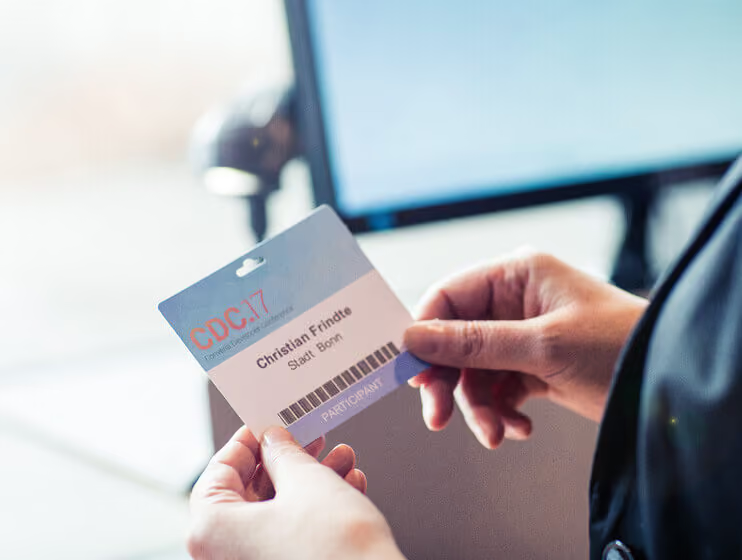
In our last post, we explained how your event attendees can handle the check-in process themselves. Once check-in is complete, printing the badges can follow immediately.
There is no extra effort for organizers or attendees when printing badges this way.
A self-service solution is only truly practical if it doesn't keep people waiting. Ideally, the process should be intuitive and as automated as possible, requiring very little input from the attendees. A touchscreen isn't always the best approach—especially if it features a complex menu that forces everyone to navigate through layers of options before anything actually happens.
💡A much more practical solution is one where printing happens completely automatically. This works perfectly because you have already defined the badge design. You won't be changing it on-site, so why make attendees press a "Print Badge" button at all?
Why printing badges on-site is better
The list of advantages for an on-demand badge printing solution is actually quite long and often solves the exact problems conference organizers typically face.
Anyone who has ever been stuck with a pile of unused badges will confirm this. Self-service prevents you from printing badges that no one ends up wearing. If someone cancels, their badge often ends up in the trash. Printing on-site, however, means: Badges are only printed when someone actually checks in.
Or are you familiar with the sorting headache? As soon as you have all the finished badges, you have to organize them. While there are all sorts of boxes to make sorting easier, there is no guarantee you won't accidentally hand out the wrong name tag.
💡Another advantage of self-service is that all attendees receive their badge immediately. This is especially important for events where people register on-site. This opens up various possibilities: either everyone prints their own badge, or the printing stations remain reserved for those who are newly added to the attendee list.
A feast for the eyes
When it comes to the appearance of your badges, you shouldn't have to settle for the software provider's presets; you should be able to implement your own badge design ideas. Designs that match the rest of your conference materials should be just as easy to implement in a self-service setup as those that identify who is standing in front of you: Is this a speaker? Or is the person representing a sponsor?
However, your own input should have its limits: you don't need to manually label every single badge with names and details. It is better to leave that task to the software, which pulls all the necessary information directly from the system, much like a mail merge. Attendees don't have to select or adjust anything, meaning the entire check-in and printing process takes less than half a minute.
Ink or toner? Paper or plastic?
Then there is the question of hardware.
The easy part first: plan for one device per check-in station. Furthermore, it never hurts to have a few spare printers on hand just in case.
Choosing the right model is a bit trickier. Because there is no one-size-fits-all answer to the question of the best printer, organizers are often left feeling indecisive when faced with a multitude of different devices. The decision becomes easier if you first consider exactly what the name tags should look like. With the desired result in mind, you can then research which printer is actually capable of delivering that outcome.
If you want your badges to be colorful—perhaps because you want to use different colors to distinguish between groups of people—a thermal printer won't be able to do the job. Models that use inkjet or laser technology and can print more than one color would be better suited here.
And finally: paper. There is still the question of what material the badges should be made of. Plastic tags are more durable and are therefore particularly worthwhile for multi-day conferences with many attendees. However, the required plastic card printers are generally in a higher price bracket. For one-day events, paper name tags are therefore more practical.
Once you have chosen your paper type, the format also plays a role. Which printers are capable of producing badges in your desired size? Check the device specifications for the maximum dimensions, as some label printers are less flexible in this regard.
Furthermore, you should consider in advance how you will connect the printer to your other devices. While USB connections are usually straightforward, not all printers support wireless connectivity.
Before you commit to a specific model, be sure to ask your conference management software provider about any potential limitations. Some tools only work with specific devices and may not be compatible with others.
⚡Caution with seed paper: Standard printers can damage the seeds contained in the paper.
Once you have found the right printers, the next decision is: Rent or buy? If you have no prior experience with self-service, renting is the better initial choice. Think of the check-in process as a trial run for the equipment. If it works well and you have more events coming up, it may be worth purchasing the printers.
💡Retailers often offer high-quality used models, sometimes even with a remaining warranty, at affordable prices.
However, price should not be your only criterion. Once you factor in the cost of accessories, some budget models are no longer such a bargain.
Perfectly prepared
Because printing starts automatically after a successful check-in, you do not need to distribute printer manuals. Nevertheless, it never hurts to have someone on-site who is familiar with the equipment and can help if something gets stuck. Often, it is just a matter of replacing toner, cartridges, or label rolls, but it is good to have someone who knows how to handle it quickly.
To ensure this, we provide our clients with comprehensive training on using our self-service solution, explaining the check-in process and the operation of our event management software, Converia.
What's next?
1. What is essential for a check-in desk? What does your on-site staff need to know? With our conference check-in checklist, you can tick off every item and be perfectly prepared when the first attendees arrive.
2. Are walk-ins welcome at your conference? To ensure on-site registration is just as fast, we have summarized the most important points here.
3. Tired of printing and labeling badges yourself? Feel free to tell us more about your conference challenges and we will work together to find the best check-in solution.