1. Easy User Guidance
If it takes only a few steps to register, you’ll notice that fewer users drop out and turn their backs on the registration form before it’s completed.
Clear and coherent wording as well as an easy handling usually make things easier for your support team. There won’t be that many queries to be dealt with anymore.
If you’re expecting attendees from abroad, your attendee management software should be multilingual but at least be available in English.
2. All Data in one Software at Scientific Conferences
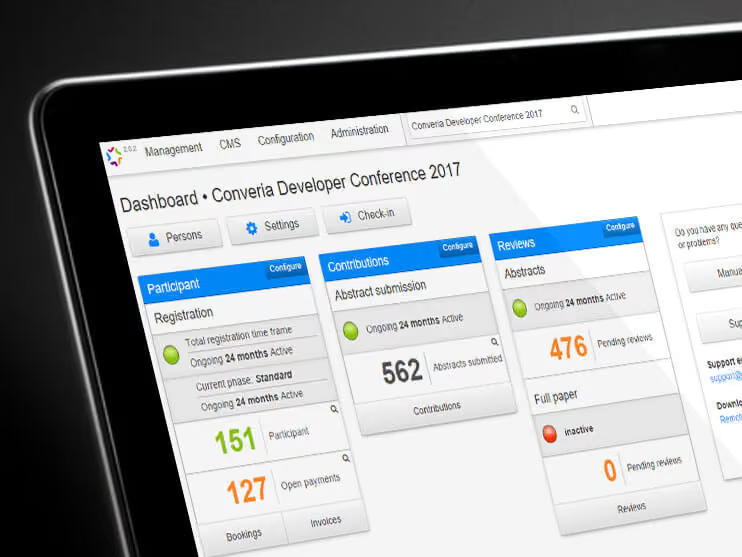
When organizing a scientific conference, it’s always an advantage to have all data saved in one system.
Therefore an integral attendee management software with more features than registration and payment management comes in handy.
If there’s a call for papers, the ideal software for your attendee management organizes the paper submission as well. To contribute, the authors just have to fill out a form or upload their papers in a file format chosen by you.
The following reviewing of all submissions is also organized with the assistance of - you guessed it - the attendee management software. The scientific committee assigns the papers to the respective reviewers before each reviewer assesses them on the basis of specific criteria.
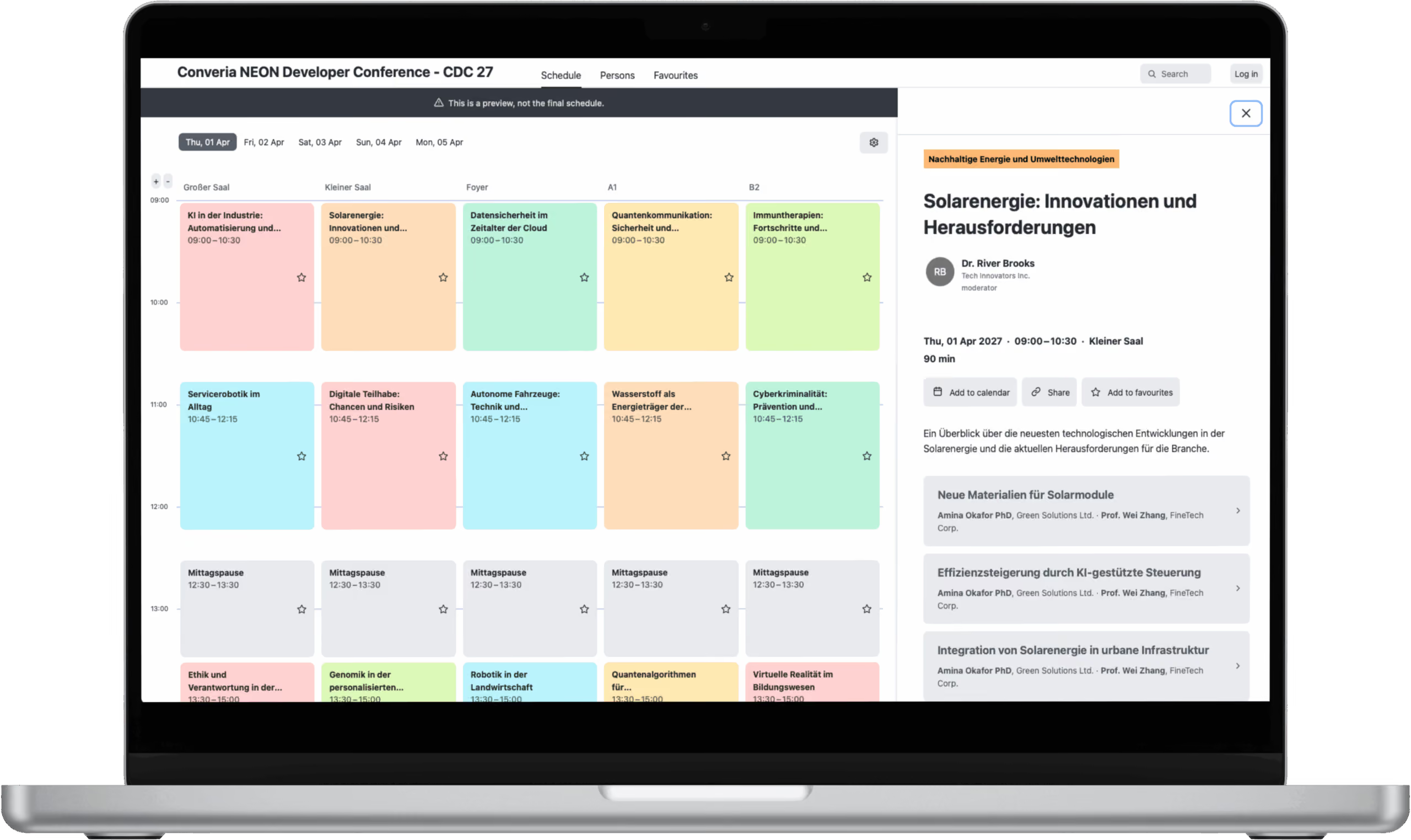
Together with the papers accepted by the committee, all items on the agenda (workshops, supporting events etc.) can be used to create a neatly arranged conference schedule. Make sure you’re able to update the schedule in case there are any changes.
3. Seamless Integration of an App
Our experience tells us that many attendees are not just asking for an attendee management software but also for a conference app.
By accommodating this request, it becomes clear that you’re an up-to-date organizer. You also prove that you’re keen on providing your attendees with all the latest news.
A digital conference program with information on topics, abstracts and authors replaces the printed program everyone had to carry around with them.
Moreover, every attendee should be able to put together their personal schedule by using the app.
But instead of having to enter everything manually, all data is automatically transferred from the attendee management software’s conference schedule.
4. Automatically generated Booking Confirmation and Invoices
An ideal attendee management software creates invoices and booking confirmations automatically and forwards them to the attendees. That saves you time and keeps your attendees abreast of what’s happening.
If you’ve got your own shiny design for your documents, keep it. Ask the provider of your attendee management software about the possibility of using it for the automated delivery.
Accountancy often requires a lot of time. Find out if the provider of your attendee management software can make it a bit easier for you and organize the complete payment management including invoice and ticket dispatch. Is there a way for you to keep an eye on all registrations and payments received? Inquire about that as well.
5. Wide Range of Payment Methods and Payment Processing
Good attendee management also includes the handling of payments. Offer more than one payment option for your attendees. For instance, let them choose whether they want to pay by bank transfer, credit card or PayPal.
You should be able to arrange each booking option in a flexible manner. Tickets for one or more days as well as optional program highlights aren’t a problem for an efficient attendee management software.
Accounting of attendance fees can be a very time-consuming task. Make sure if the complete payment processing can be handled by the software provider instead.
6. The Software Provider’s Online Presentation
If you’re looking for the right software that helps you with your attendee management, don’t forget to scrutinize the provider.
Take a good look around on their website and see if you can answer the following questions:
- Does the offer strike you as serious?
- Does the provider have experience with events of the same size?
- Are there any references, case studies or testimonials?
And: It’s always best to ask about an appointment on site as it’s a great opportunity to discuss your own ideas or special demands.
7. Competent and cooperative Support
You need help using the attendee management software or there’s a technical problem you just can’t solve on your own: A quick call is all it takes to get the assistance you need from the support team.
Sadly, it often doesn’t work that way in reality.
In order to avoid nasty surprises, make sure you know all about the support services.
At what times will the support team assist you with all things attendee management software? Is it possible to call them outside business hours if necessary?
Pay attention to the way your requests are being dealt with: Does the support team stick to agreements? Do you understand their explanations?
If you need attendee management software-related staff training, of course this should be set up for you as well.
Always keep in mind: When you’re using a software for different parts of your attendee management, there’s usually one person to go to with all your questions and problems. But when you’re collaborating with different providers, each of them will have their own contact person. So if you’re facing a problem, instead of asking away you’ll always have to pick the right one to ask at first.
8. Supportive of your Marketing Activities
Your event is about to start but word still hasn’t spread about it.
To prevent this from happening, ensure that your conference is visible for all interested parties.
Building an own website seems like the best solution but you don’t have the programming skills to put that plan into action?
No biggie – at least when you’re working with an attendee management software that allows you to set up an event website directly from the system. An integrated content management system (CMS) helps you to create individual pages and enter all data quickly and easily. You should also take a look at our tips for your website.
Keep your attendees and anyone interested posted with a personalized newsletter. That way, everyone receives an e-mail with your announcements regarding important dates like registration or abstract submission deadlines. Hence, the attendee management software should include an option for sending newsletters.
Do you want to offer discounts for the speakers or are there any special offers for members of an expert association?
Then you should go for an attendee management software that has a voucher system. Such a system makes sure that all attendees who should be granted a discount just have to enter the voucher code they received via e-mail when they register.
9. Self-Service Check-In
You never get a second chance to make a first impression.
And the first impression isn’t that impressive when your attendees are being greeted with an unnecessary rush and an endless line of people queuing up in front of the check-in counters.
In order to avoid such scenarios and to take the pressure off the congress administration, offer a self-check-in for your attendees. That’s the best way to reduce the waiting time as well as the lengthy search in attendance lists.
It’s very easy with the right attendee management software: Attendees just have to scan the barcode on their ticket so they can print the name badge.
10. Data Security
Personal data is sensitive data.
No one wants their address or credit card information to fall into the wrong hands. But that’s exactly what happens when the provider of an attendee management software doesn’t guarantee data security.
Encryption should be enabled by default in order to protect all data against misuse by unauthorized third parties. Top-notch data security goes even further: The software provider declares to process and use personal data according to current laws.
We’ll be happy to introduce you to Converia as a software for your attendee management. Get in touch with us.